


YouTube has become an essential platform for learning, troubleshooting, and staying updated, with millions of people relying on it for tutorials and technical content every day.
However, in many controlled networks such as schools, workplaces, and public systems, access to YouTube is often restricted. These limitations can abruptly interrupt videos, break workflows, and delay tasks, usually due to firewalls and filtering tools designed to manage on-site activity.
When this happens and a “Site Blocked” message appears, there are legitimate technical methods available to restore access. The following sections introduce several practical ways to unblock YouTube quickly and safely.
1. The Quickest Fix: Use a Web Proxy
The most common way to get around a firewall is a web proxy. A proxy acts as a middleman. Instead of your computer connecting directly to YouTube, it connects to the proxy, which then fetches the video for you. The school or office filter only sees the proxy’s name, not the video.
Top working proxy sites for 2026:
- CroxyProxy: One of the most reliable options for video streaming. It’s fast and specifically optimized for YouTube.
- Proxyium: A lightweight, no-nonsense proxy that works well on older school Chromebooks.
- Hidester: Great for a simple, encrypted connection that handles high-quality video reasonably well.
How to use them:
- Go to one of the sites above.
- Type www.youtube.com into the search bar on their homepage.
- Hit enter and wait for the page to load.
2. Sneaky Tricks: Bypass Filters Without New Sites
If IT has blocked popular proxies, use these “hidden in plain sight” methods that rely on trusted domains.
Google Translate Proxy Almost no institution blocks Google. Go to translate.google.com, set the input language to Spanish and output to English, then paste youtube.com into the box. Click the link in the output box to browse YouTube through Google’s own servers.
Invidious Instances Invidious is an alternative front-end that shows YouTube videos without the youtube.com domain. Because there are hundreds of different “instances” (like .io or .net addresses), they are rarely all blocked. Search for a “public Invidious instance list” and try a few until you find one that works.
3. The Professional Solution: Proxy-Based Setup
If simple web tools and quick tricks no longer work, a more stable and configurable solution is often required. A proxy-based setup allows traffic to be routed through an external network, helping restore access while maintaining better control over speed, location, and connection behavior.
This type of setup is commonly used when consistent access is needed for streaming, research, or daily workflows, rather than one-time viewing.
One example of a service used for this purpose is 9Proxy, which provides access to a large proxy network suitable for professional and long-term use. Below is a general way to configure a proxy-based connection:
OPTION 1: System-Wide Configuration
Step 1: Browse the proxy list in your dashboard, choose a location and generate or copy the proxy connection details.
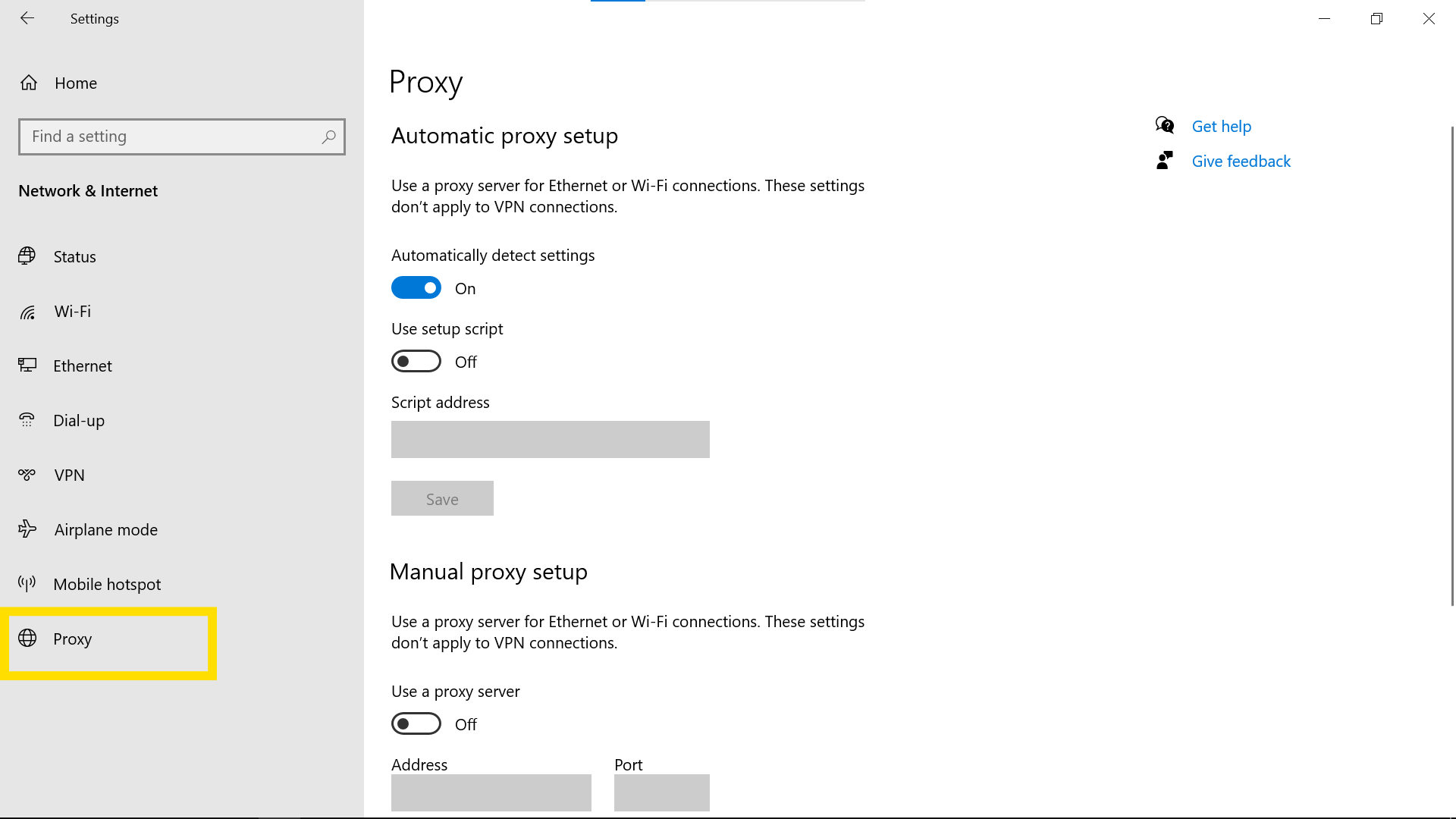
- Step 2: Copy the proxy details and head to your computer’s “Proxy Settings” in the system menu.

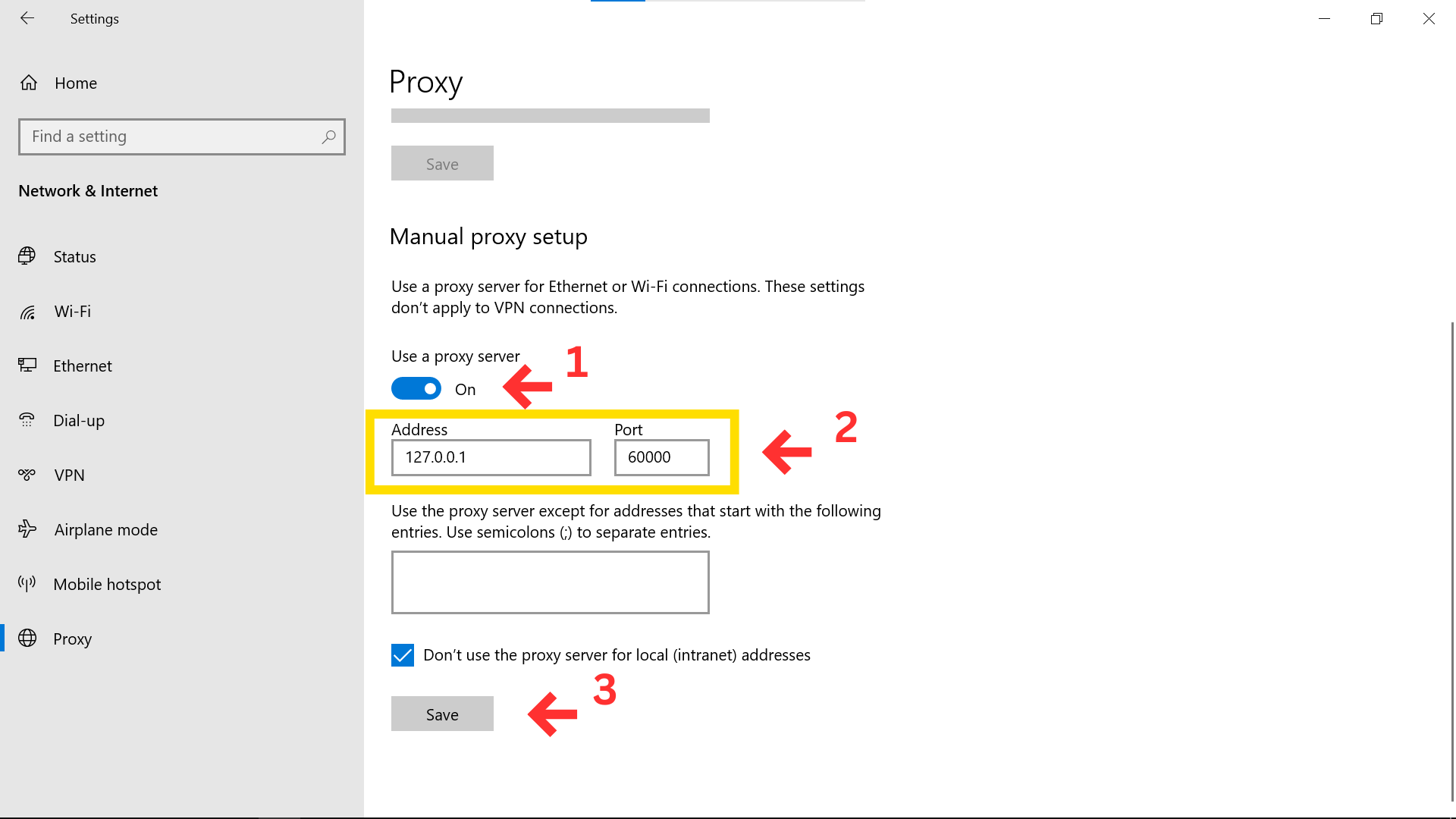
- Step 3: Turn “Use a proxy server” to On. Paste your address and port, then click Save.
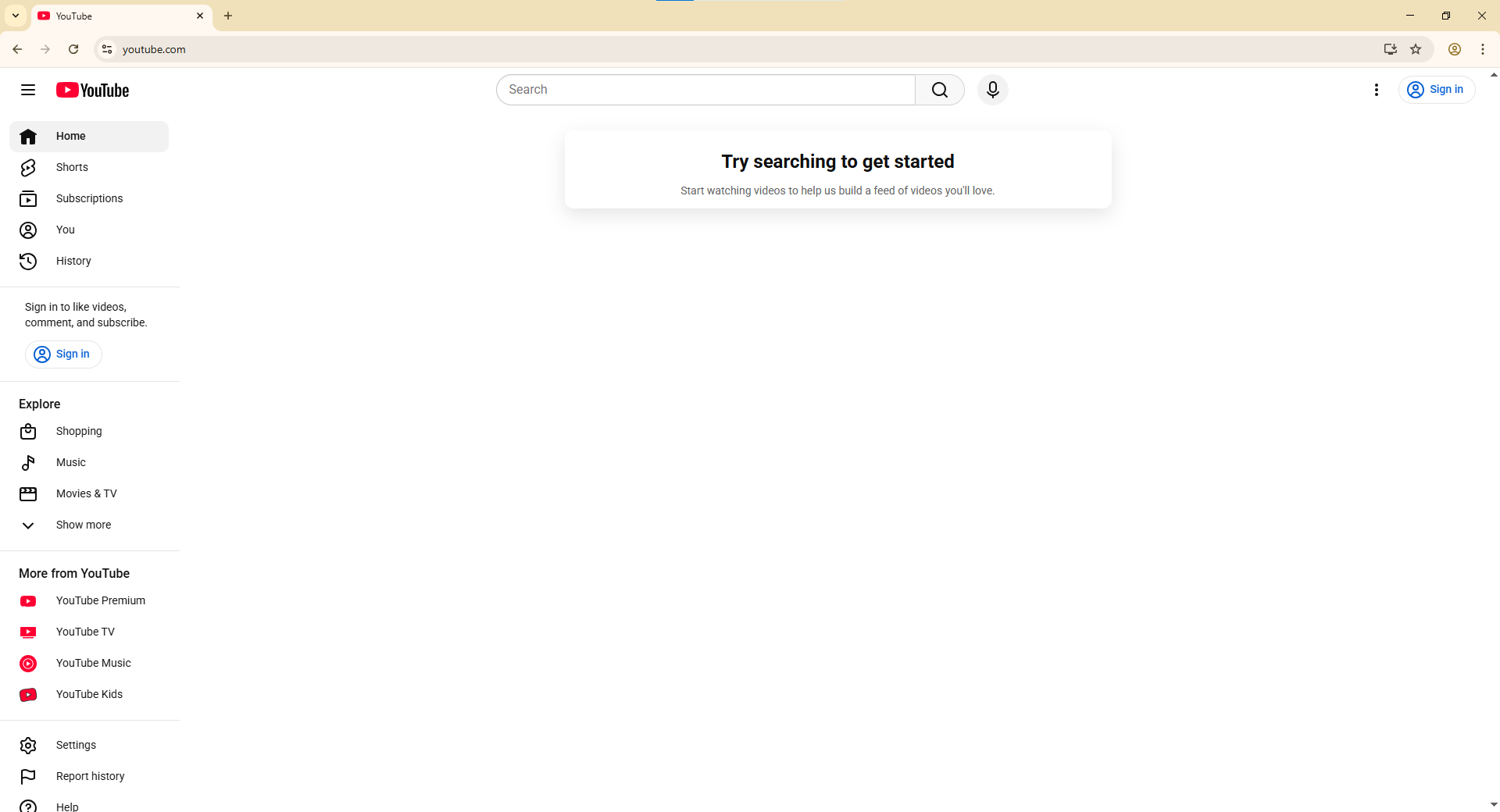
- Step 4: Open YouTube and start watching.

OPTION 2: Browser-Level Configuration
- Step 1: Select your preferred proxy from your provider and copy the port information.
- Step 2: Install a proxy management extension (like “Proxy Switcher and Manager”).
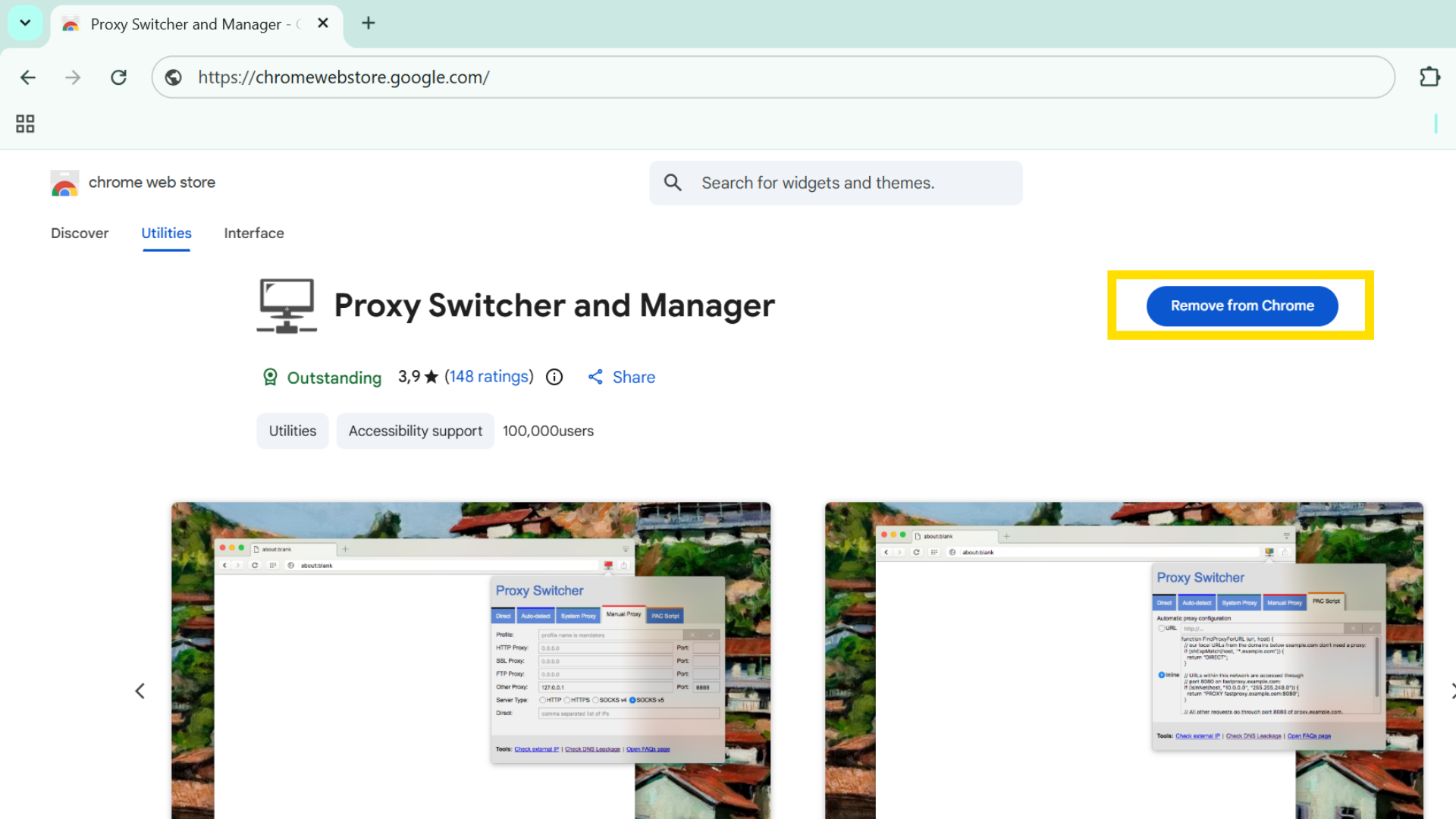
- Step 3: In the extension settings, paste your details into the HTTP Proxy and Port boxes. Click the checkmark to save.
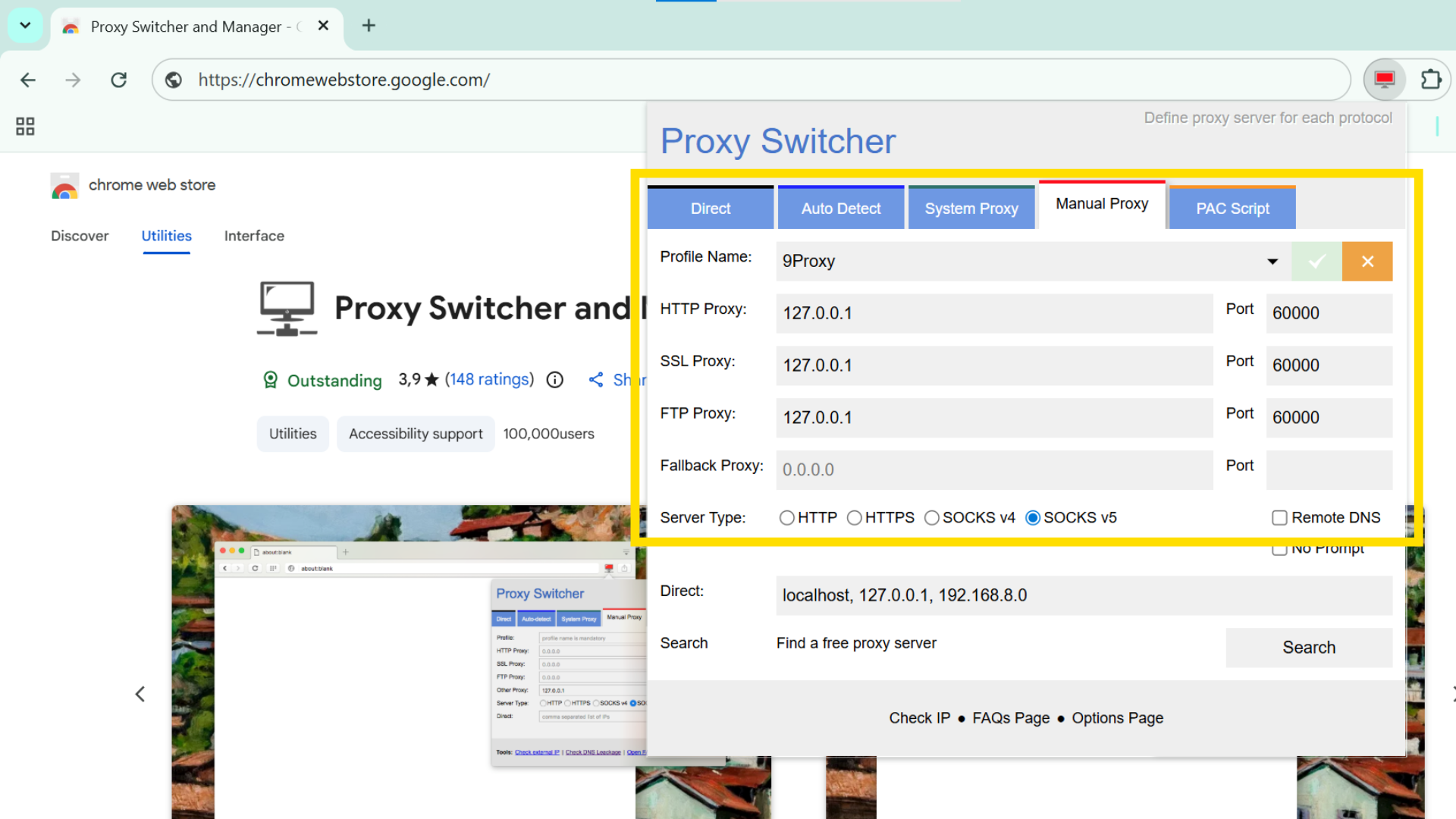
- Step 4: Navigate to YouTube, and the extension will handle the bypass.
4. Safety First: How to Stay Secure
When you’re trying to get YouTube unblocked, follow these rules to protect your data:
- Never Log In: Do not sign into your Google account on a free proxy. These are run by third parties who could potentially see your login details.
- Avoid Downloads: If a site asks you to “download a player” or “update Flash,” close the tab. These are common masks for malware.
- Know the Policy: Use these methods responsibly. Be mindful of your institution’s acceptable use policies to avoid unnecessary trouble.
For Windows users setting up a dedicated proxy application, Download 9Proxy for Windows offers straightforward installation tailored for reliable, system-level access without extensions.
Conclusion
Gaining access to your favorite content shouldn’t be a struggle. Whether you use a quick web trick or a professional setup, you now have the tools to bypass blocks and regain your digital freedom.
While shortcuts like Google Translate work in a pinch, a shared proxy is the most reliable path for high-quality streaming. Our team uses 9Proxy for this exact reason, it provides the speed and stability that free tools simply cannot match.
Stop letting filters dictate your browsing. Use these methods to secure your connection and enjoy unrestricted video streaming today.